The following service claims to provide unlock codes for Sony phones, including the walkman series:
http://www.unlocks.co.uk/unlock_sony_ericsson.php?model=W52S
Has anyone tried with success?
Showing posts with label Sony w42s phone. Show all posts
Showing posts with label Sony w42s phone. Show all posts
Tuesday, March 30, 2010

Hacking on the Sony Walkman Cell Phone
When I first came to Japan, I signed up for service with AU, and picked up the Sony Erricson W42S Walkman phone. It was fantastic: it played music with ease, had a great screen for video, was simple and compact, and styling superb.
My only problem with it was the software. Sony and AU both enjoy making users go through all sorts of hoops in order to protect their IP, such that it makes the product nearly useless. Complicating the matter was the fact that the software was only available in Japanese. It drove me nuts. AU's software in particular was so bad, that it would even refuse to install on Windows unless it was a Japanese version.
I HAD to gain access to all those cool features, for which I fell in love with the phone in the first place. So I set out on several adventures in 'bypassing' certain basic procedures apparently designed to confuse people. Few of these jobs could technically be called "hacking." Most of them were simply discovering how to get around stupid measures taken by both companies designed to confuse people, such as switching your international settings in Windows to temporarily allow installing the software, or dropping files into hidden folders on the memory stick in order to get your own movies to play without paying extra for additional software.
I figured that if I were having trouble with the phone, than surely many other foreign customers were in the same boat. Sure enough, with a little bit of advertising on the various cell-phone fan sites, people starting asking me lots of questions. So, in a way, I became an unofficial English help line troubleshooter for AU and Sony.
The results of which are cataloged in the following blogs:
w42s.blogspot.com
w52s.blogspot.com
The posts have also been merged with THIS blog. You can find them by clicking the related links on the left.
My only problem with it was the software. Sony and AU both enjoy making users go through all sorts of hoops in order to protect their IP, such that it makes the product nearly useless. Complicating the matter was the fact that the software was only available in Japanese. It drove me nuts. AU's software in particular was so bad, that it would even refuse to install on Windows unless it was a Japanese version.
I HAD to gain access to all those cool features, for which I fell in love with the phone in the first place. So I set out on several adventures in 'bypassing' certain basic procedures apparently designed to confuse people. Few of these jobs could technically be called "hacking." Most of them were simply discovering how to get around stupid measures taken by both companies designed to confuse people, such as switching your international settings in Windows to temporarily allow installing the software, or dropping files into hidden folders on the memory stick in order to get your own movies to play without paying extra for additional software.
I figured that if I were having trouble with the phone, than surely many other foreign customers were in the same boat. Sure enough, with a little bit of advertising on the various cell-phone fan sites, people starting asking me lots of questions. So, in a way, I became an unofficial English help line troubleshooter for AU and Sony.
The results of which are cataloged in the following blogs:
w42s.blogspot.com
w52s.blogspot.com
The posts have also been merged with THIS blog. You can find them by clicking the related links on the left.
Thursday, March 11, 2010
AU moves on to LismoPort
AU will no longer support AU Music Port. They have moved on to new software, named Lismo Port (presumably enhancing their tie-in with the Lismo online media service).
I have yet to play with it, other than to attempt an installation. Bad news, it absolutely refuses to install on a non Japanese OS (not even with the trickery involved to install AMP). So I will have to play around with this more. Honestly, I am very likely going to move on to a different phone set anyway. The 42/52 Walkman phones are getting old.
Anyway, since AMP is no longer available on the AU site (nor the USB drivers?) I have put up a page on my own site to hold old CD versions of the software. I don't take any responsibility for a broken system if you choose to upgrade from the old (ca 2006) CD versions.
You can find them at:
http://japandarknavi.com/drp/content/amp
I have yet to play with it, other than to attempt an installation. Bad news, it absolutely refuses to install on a non Japanese OS (not even with the trickery involved to install AMP). So I will have to play around with this more. Honestly, I am very likely going to move on to a different phone set anyway. The 42/52 Walkman phones are getting old.
Anyway, since AMP is no longer available on the AU site (nor the USB drivers?) I have put up a page on my own site to hold old CD versions of the software. I don't take any responsibility for a broken system if you choose to upgrade from the old (ca 2006) CD versions.
You can find them at:
http://japandarknavi.com/drp/content/amp
Sunday, January 7, 2007
Some helpful hints
In response to some feedback:
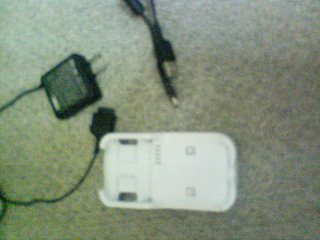
This is the cable kit I received with the phone. On the left is the power adapter and above is the typical USB to miniUSB cable. Both the power cable and miniUSB cable plug into the white cradle from behind, and the phone drops in. Neither cable directly connects to the phone.
Cradle PN 42SOPUA
power supply PN 0202PQA
The USB cable they show here looks like it connects to the side of the phone, and would only charge (likely the same cable you have PN 0201HVA). The cable for the cradle is just a standard USB to miniUSB like with most digital cams and mp3 players.
You might not be able to connect the phone directly to a laptop via a cheap store cable to download. I do not have one to test, but I will try to go get one. In fact, my charger cable has no where to directly connect to the phone, nore does the MiniUSB.
Are you connecting your cable to the left side port that has a slide cover? This is also the port where the headphone adaptor connects. It has a lot of pins, so it is possible that it is chargable via that connector, and yet not have download support.
My best advice without having the cable you have, would be to try to get the full cradle kit.
One more thing you MUST do:
On the phone, go to Functions/Settings
Press 5 (user support)
Press 6 (Data Comm)
Press 3 (USB mode select)
select 3 (User Select)
Now everytime the phone is hooked to the computer, the phone will ask you to choose Data Trasfer or Mass Storage mode.
The default is Data Transfer which is only for au Audio Music Port. It will keep attempting to run that program, and will not let you do anything on the phone without it.
Mass Storage mode will make it act like a normal USB storage device, and allow Sonic Stage to find it. Remember, you only have access to the MMC card, and not the phones primary memory.
As for Sonic Stage, I am using Version 4.2 as well.
Im glad someone is finding the information usefull. Feel free to keep asking questions.
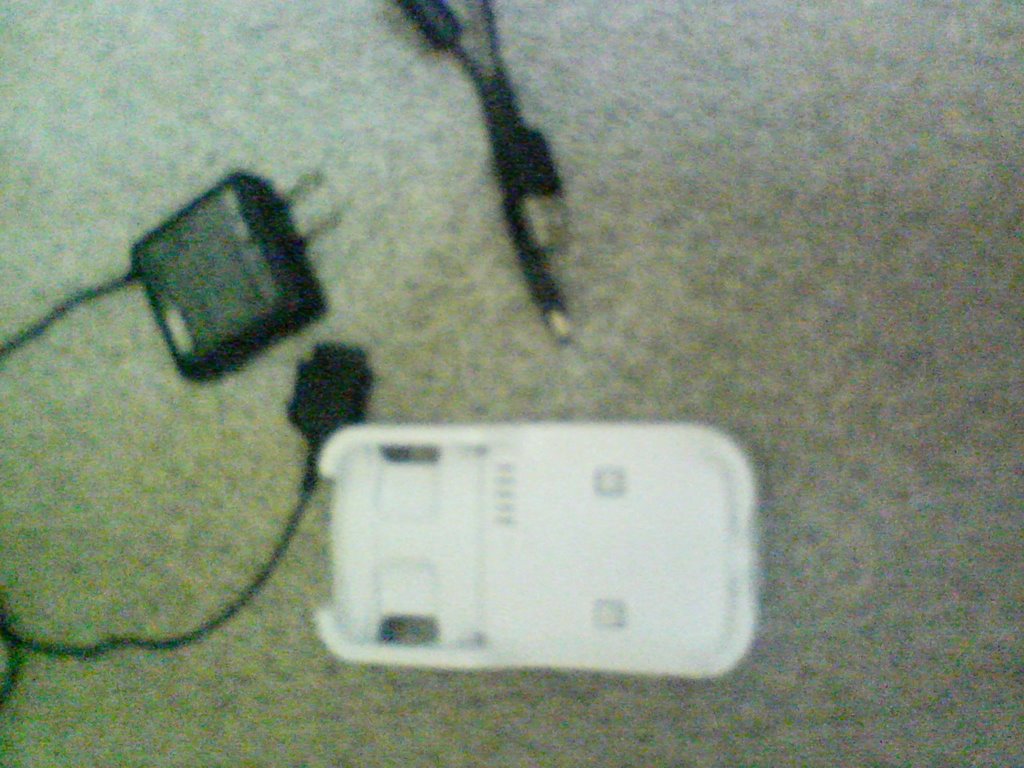
This is the cable kit I received with the phone. On the left is the power adapter and above is the typical USB to miniUSB cable. Both the power cable and miniUSB cable plug into the white cradle from behind, and the phone drops in. Neither cable directly connects to the phone.
Cradle PN 42SOPUA
power supply PN 0202PQA
The USB cable they show here looks like it connects to the side of the phone, and would only charge (likely the same cable you have PN 0201HVA). The cable for the cradle is just a standard USB to miniUSB like with most digital cams and mp3 players.
You might not be able to connect the phone directly to a laptop via a cheap store cable to download. I do not have one to test, but I will try to go get one. In fact, my charger cable has no where to directly connect to the phone, nore does the MiniUSB.
Are you connecting your cable to the left side port that has a slide cover? This is also the port where the headphone adaptor connects. It has a lot of pins, so it is possible that it is chargable via that connector, and yet not have download support.
My best advice without having the cable you have, would be to try to get the full cradle kit.
One more thing you MUST do:
On the phone, go to Functions/Settings
Press 5 (user support)
Press 6 (Data Comm)
Press 3 (USB mode select)
select 3 (User Select)
Now everytime the phone is hooked to the computer, the phone will ask you to choose Data Trasfer or Mass Storage mode.
The default is Data Transfer which is only for au Audio Music Port. It will keep attempting to run that program, and will not let you do anything on the phone without it.
Mass Storage mode will make it act like a normal USB storage device, and allow Sonic Stage to find it. Remember, you only have access to the MMC card, and not the phones primary memory.
As for Sonic Stage, I am using Version 4.2 as well.
Im glad someone is finding the information usefull. Feel free to keep asking questions.
Subscribe to:
Posts (Atom)